:format(webp))
:format(webp))
Astro vs Next.js for Content Sites: a practical guide that saves time and money
Read this and you’ll know when Astro is the smarter choice for a content-heavy site, what trade-offs you accept, how to estimate real operational savings, and a short migration checklist if you decide to switch.
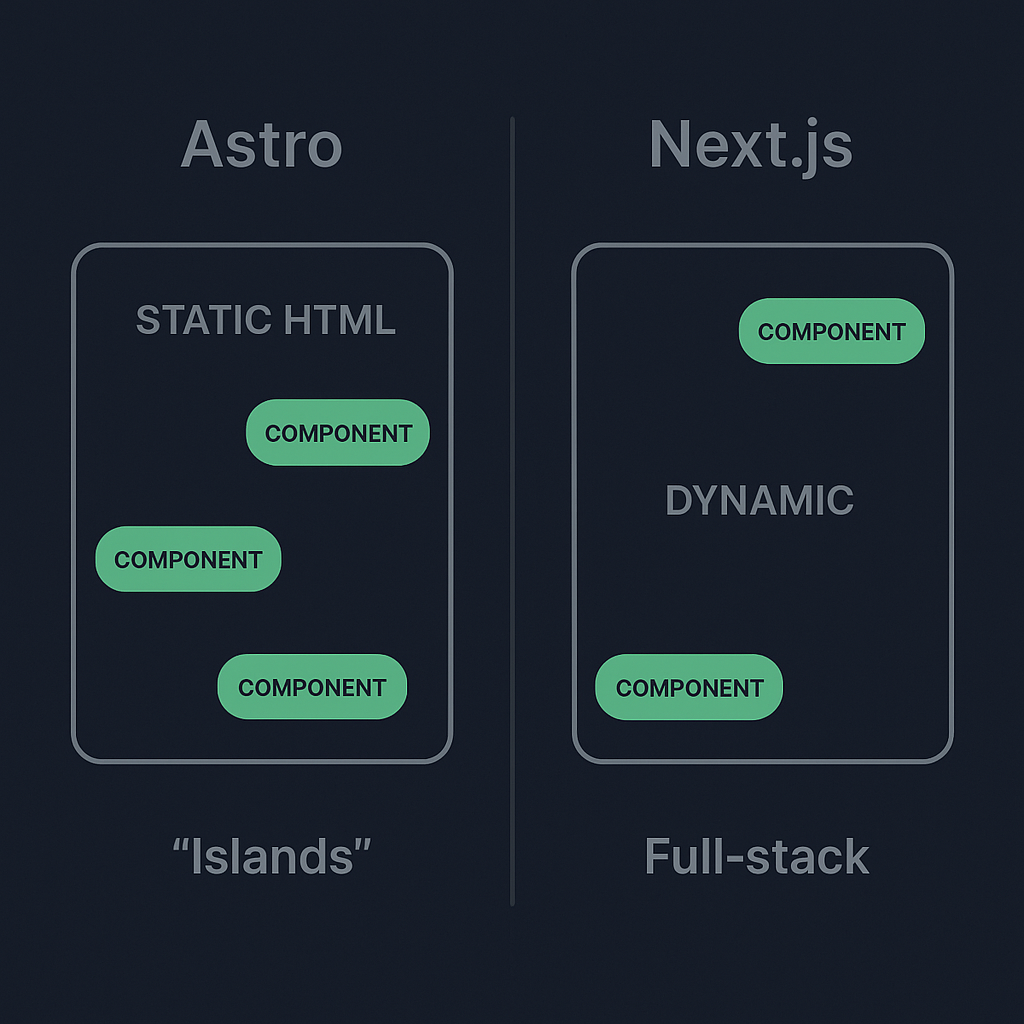
Core philosophies: islands vs full-stack
Astro is built around the “islands” idea: render static HTML by default and hydrate only the small interactive parts you need on the client. That leads to far smaller JavaScript bundles for many content sites and often faster initial loads—Astro calls this “zero JavaScript by default.” For more details, see Astro’s core approach and its partial hydration concept .
Next.js started as a React-first framework with server rendering and has since expanded toward a full-stack platform (API routes, server components, Incremental Static Regeneration). That makes it great for dynamic, authenticated, or app-like experiences, though it can add runtime complexity for sites that are mostly static; refer to the Next.js getting started guide for more.
Real-world performance differences (and why they matter)
For content sites—blogs, docs, marketing pages—sending mostly pre-rendered HTML and minimal client JS usually improves Core Web Vitals (FCP, LCP) and Lighthouse scores. Several comparative write-ups and audits show large Lighthouse gains when moving heavy content sites to Astro or similarly static-first setups, including an Astro vs Next.js performance comparison and a hands-on migration case study . Smashing Magazine also demonstrates how Astro’s static-first output often reduces client payloads compared with a full Next.js app that ships more client JS in their Astro vs Next.js static-content guide .
Metric | Astro | Next.js |
|---|---|---|
FCP (First Contentful Paint) | 800 ms | 1300 ms |
LCP (Largest Contentful Paint) | 1200 ms | 2000 ms |
JS bundle size | 50 KB | 250 KB |
Developer experience for content teams
Astro is designed to make static content easy:
Markdown & MDX support: Write pages in Markdown and import components—see the Astro Markdown & MDX guide .
Framework-agnostic components: Use React, Vue, Svelte, Solid, etc., inside the same project; learn more in the framework component overview .
Static site generation by default: Simplify build rules and content pipelines with the SSG guide .
Netlify’s comparison explains why marketing, docs, and content teams often prefer this simpler workflow for JAMstack sites in their Astro vs Next.js content project analysis . If you expect many interactive widgets (dashboards, complex authenticated areas), Next.js offers built-in server rendering, API routes, and a bigger ecosystem for app-like features—see the Next.js Pages documentation .
Cost and operations: how low-JS output saves money
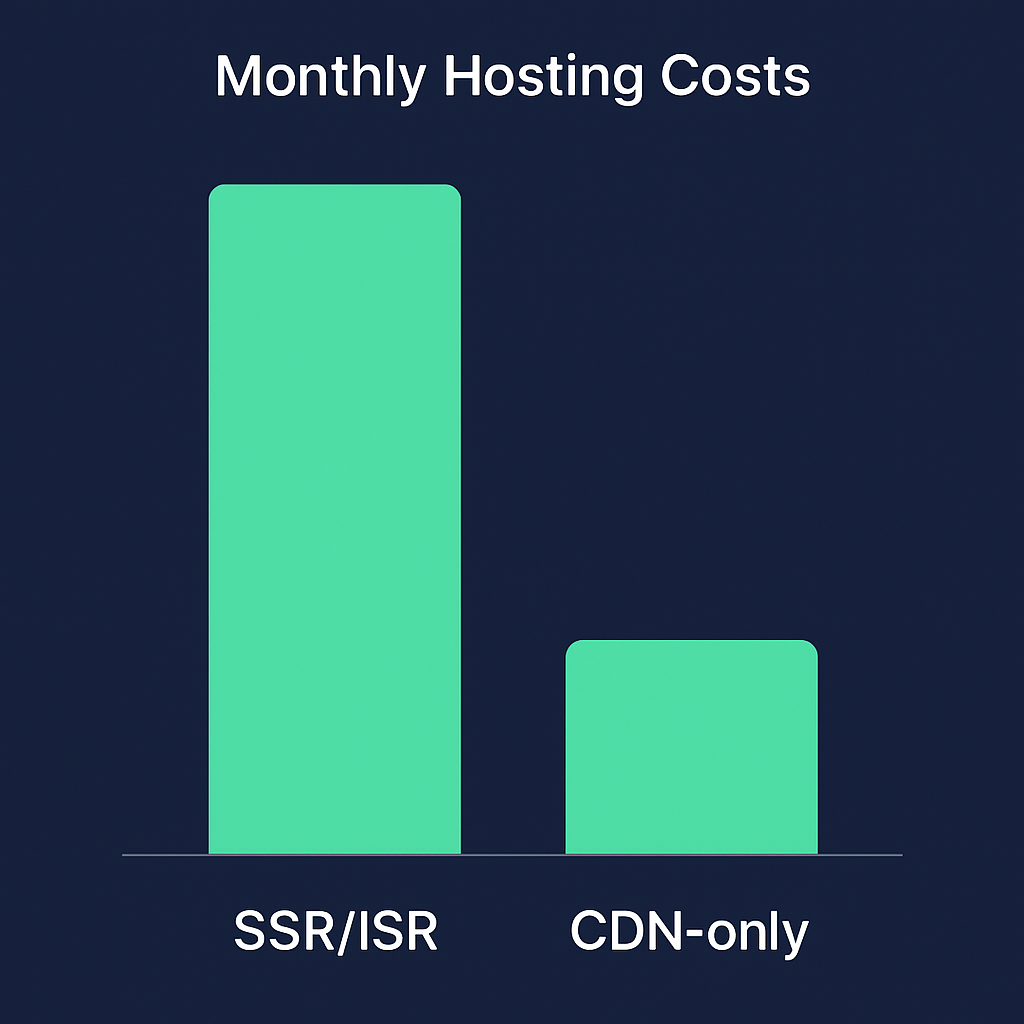
Pre-rendered static sites reduce runtime compute: fewer serverless invocations, less edge compute, and simpler CDN caching. Static delivery and smaller bundles can lower hosting complexity and bills compared with SSR/ISR setups, as outlined in the Netlify article linked above. You can also verify download and usage trends for quick signals of adoption and ecosystem activity through npm trends: Astro vs Next.js and by exploring the Astro GitHub repository .
Adoption trends: Astro’s niche growth
Astro is younger and has a smaller market share than Next.js, but public signals show fast growth in interest and adoption within the content-site niche. Rising npm download curves and active GitHub activity for Astro indicate momentum, and you can browse community projects and case studies in the Astro showcase . For time-stamped survey figures, refer to the State of JS archive for framework satisfaction and adoption data.
Who should pick Astro — and when Next.js still wins
Choose Astro when:
Your site is content-first (blogs, docs, marketing, multi-page editorial sites) and interactivity is limited to small widgets.
Your team wants simple content editing workflows (Markdown/MDX) and predictable static builds.
You want to minimize client JavaScript and CDN/edge costs.
Choose Next.js when:
You need server-side rendering on many routes, real-time API logic, or large authenticated surfaces.
You want a unified “app” platform with integrated server functions and edge features out of the box.
Scenario | Recommended Framework |
|---|---|
Content-first with minimal interactivity | Astro |
Dynamic routes or heavy SSR/API logic | Next.js |
Organizational fit: teams that love Astro
Non–JavaScript-heavy teams (content editors, marketing, docs, designers) often find Astro easier to own because:
The content pipeline uses plain Markdown/MDX and static pages that are straightforward to preview and publish.
Design systems (React-based) can be consumed as components while still shipping almost no client JS by default.
Handoff from content to front-end becomes simpler because the site is statically generated and previewable without complex backend dependencies, as covered in the Netlify analysis above.
Migration risk, optionality, and architecture choices
Starting with Astro for content preserves flexibility: you can keep the content front-end as a very fast, static layer and later add a separate app backend (Next.js, Remix, etc.) for dynamic features. That decoupled architecture reduces the risk of “monolith lock-in.” Several migration stories document moving a blog from Next.js to Astro and how they handled components, routing, and interactive bits (see the Dev.to case study above). Astro also supports incrementally adding interactivity through islands, which lowers immediate migration costs because you can reuse existing React components selectively.
Design systems and multi-brand deployments
Large organizations that centralize UI components can use Astro as a thin, high-performance front-of-house layer that consumes shared design-system components and still ships minimal client JS. Astro’s multi-framework component support makes this pattern practical, and Netlify’s JAMstack publishing workflow analysis shows how it scales across multi-site setups.
Quick migration checklist (if you move from Next.js to Astro)
Audit components: mark which pieces need client-side hydration (search, comment widgets, CMS preview) and which can be static (see Astro’s partial hydration guide above).
Migrate content: export MDX/Markdown and map frontmatter fields to Astro’s content pipelines (see the Markdown & MDX guide).
Reuse UI: import React/Vue/Svelte components directly into Astro pages where needed (see the framework component overview).
Test SEO & Core Web Vitals with Lighthouse before/after: consult the Lighthouse overview .
Evaluate hosting: deploy static sites to a CDN to capture cost and performance benefits—Netlify, Vercel, Cloudflare Pages are all viable options.
How to measure expected wins (simple checklist)
Measure current FCP/LCP and JavaScript transfer size with Lighthouse (see above).
Compare build output: static HTML pages and JS bytes emitted by Next.js vs Astro using sample pages—examples of large reductions appear in the Astro vs Next.js performance comparison.
Run a small cost model: multiply serverless invocation counts (or edge function minutes) by provider pricing and compare to CDN-only costs for static hosting, as detailed in the Netlify comparison above.
The last scroll: choosing with intent
If your project is primarily content—pages written in Markdown, marketing funnels, documentation, multi-site publishing—Astro gives you a simpler workflow and a small operational footprint while still letting you reuse modern component libraries. If your product needs lots of server-side logic, personalization, or tightly integrated app features, Next.js remains the stronger choice. Either way, pick the tool that maps to the problems you actually need to solve today, and preserve architectural options for the future. For hands-on migration guides and comparisons, refer to the performance comparison and case study links above.
:format(webp))
:format(webp))
:format(webp))