:format(webp))
:format(webp))
How to Build Blazing-Fast Marketing Sites with PayloadCMS and Astro
In this guide, you’ll discover how combining PayloadCMS and Astro lets you launch ultra-fast, SEO-friendly marketing sites that scale globally. You’ll learn how each tool works, see real-world performance gains, and explore advanced features—like multi-language support, image pipelines, and edge deployments—that top-ranking articles often miss.

What Makes PayloadCMS Stand Out
PayloadCMS is an open-source headless CMS and app framework built with Node.js , TypeScript , and React . It gives you full control over data models, content workflows, and user roles.
Flexible data modeling with JSON Schema
GraphQL and REST APIs out of the box
Built-in authentication and role-based access control
Plugin system for custom features
Self-host on your own infrastructure or choose any cloud hosting provider
Feature | Description |
|---|---|
Flexible data modeling | Use JSON Schema for structured, agreed-upon content types |
GraphQL & REST APIs | Instantly query or mutate data via modern API endpoints |
Authentication & RBAC | Secure access control with user roles and permissions |
Plugin system | Extend core with custom functionality |
Hosting options | Deploy on your infrastructure or any cloud platform |
Granular Access Control
With Payload’s built-in permissions, you can define which team members—marketers, designers, or developers—can draft, review, or publish content. That keeps your workflow secure and audit-ready, following best practices outlined in the OWASP [Access Control Cheat Sheet](https://cheatsheetseries.owasp.org/cheatsheets/AccessControlCheat_Sheet.html).
Localization for Global Campaigns
PayloadCMS supports comprehensive internationalization and localization features, so you can manage region-specific copy, assets, and metadata from a single dashboard.
Why Astro Is Perfect for Content-Driven Sites
Astro is a web framework focused on delivering static HTML with minimal JavaScript. It’s designed for blogs, landing pages, and documentation—all places where performance and SEO matter most.
Islands Architecture for selective hydration
File-based routing and MDX support
Built-in SEO optimizations and sitemap protocol
Leverages the JAMstack approach for fast, secure sites
Astro Feature | Benefit |
|---|---|
Islands Architecture | Minimized JS for faster load |
File-based routing & MDX | Easy content-first workflows |
Built-in SEO & sitemap | Automatic search engine friendliness |
Framework agnostic components | Leverage React, Vue, Svelte, etc. |
JAMstack | Enhanced performance and security |
Islands Architecture in Action
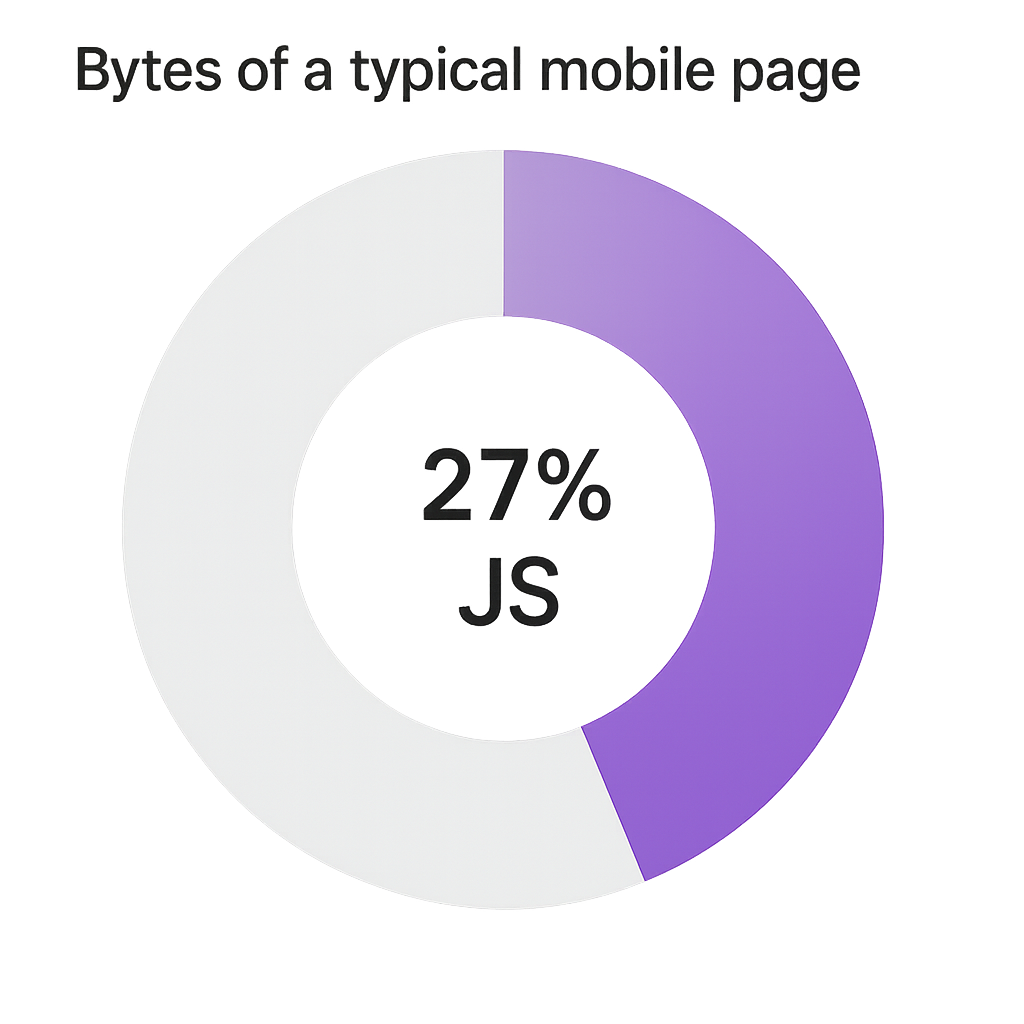
Astro renders most of your page as static HTML, then “hydrates” only interactive components. This cuts down on unnecessary client-side code and drives better Core Web Vitals. According to the HTTP Archive’s Page Weight Report , JavaScript makes up 27% of bytes on the median mobile page.
Edge and Serverless Deployments
You can deploy Astro sites to Vercel’s Edge Network or Netlify Functions for serverless compute, serving content from locations near your visitors. That usually results in sub-100 ms Time to First Byte, thanks to modern edge networking fundamentals .
How PayloadCMS and Astro Work Together
When you pair PayloadCMS with Astro, you get a content pipeline that’s both powerful and lightning fast:
Content Creation in PayloadCMS
Define collections, localization rules, and user roles in your self-hosted or cloud-hosted instance.
Data Fetching in Astro
Use Astro’s server-side APIs or the Fetch API to grab JSON data.
Build with Markdown/MDX
Combine dynamic data with Markdown or MDX pages to spin up landing pages or blog posts in minutes.
Static Generation and Deployment
Astro compiles everything to HTML, CSS, and optimized assets. Deploy to any static host or edge network.
Advanced Features for Marketers
Automated Image Optimization & Lazy Loading
Astro’s image plugin handles resizing, WebP conversion, and lazy loading. PayloadCMS file fields can integrate with CDNs like Cloudinary to serve responsive images and reduce load times.
Webhooks and Automated Workflows
PayloadCMS can trigger automated processes via webhooks, enabling you to redeploy your Astro site, send Slack alerts, or push updates to your CRM. For a general overview of webhook patterns, see GitHub’s Webhooks and Events documentation .
Partial Hydration of Marketing Tools
Need analytics or A/B testing? Load scripts only where needed. Astro lets you hydrate third-party widgets selectively—such as Segment for user tracking—so you don’t pay a JavaScript tax on every page.
Composable Architecture for Rapid Testing
Build reusable UI blocks—like hero banners, feature panels, or testimonial sections—in Astro. Combine them with PayloadCMS-driven content to spin up variants quickly and run experiments with tools like Optimizely’s A/B Testing .
Enterprise-Grade Security & Compliance
By self-hosting PayloadCMS and auditing every content change, you stay compliant with GDPR, CCPA, and ISO standards. Payload’s detailed logs help you track who changed what—and when—supporting requirements outlined by GDPR.eu , the California Attorney General’s CCPA resources , and ISO’s official standards .
Launch in Minutes, Scale for Millions
Now that you’ve seen how PayloadCMS and Astro complement each other, here’s a quick checklist to get started:
Install PayloadCMS and define your content schema.
Set up localization and user roles.
Create an Astro project and add the `@astrojs/image` and `@astrojs/partytown` (for lazy scripts) integrations.
Fetch your Payload data in Astro’s `getStaticPaths` and `getStaticProps`.
Deploy to Vercel or Netlify Edge for global delivery.
Ready to move faster? Give this stack a spin, and watch your marketing site’s performance—and your team’s productivity—take off.
:format(webp))
:format(webp))
:format(webp))