:format(webp))
:format(webp))
Why More Startups Are Migrating from WordPress to Storyblok

In this article, you’ll discover why many startups are leaving WordPress behind and choosing Storyblok’s headless CMS instead. You’ll learn about the limitations of traditional setups, the benefits of decoupled content delivery, and unique features—like built-in localization, enterprise compliance, and real-time collaboration—that give Storyblok an edge.
The Growing Pains of WordPress for Startups
WordPress powers over 40% of the web, yet it can strain under modern demands. See the latest W3Techs WordPress usage statistics .
Plugin conflicts can break sites after updates, a common issue explored in WPBeginner’s guide to resolving plugin conflicts .
Scaling often means expensive multisite architectures, as detailed in Kinsta’s analysis of WordPress Multisite scalability challenges .
Tightly coupled themes and code lead to technical debt.
When your marketing team needs dynamic landing pages and developers want to try React or Vue.js, WordPress’s traditional setup often slows everyone down.
WordPress Pain Point | Storyblok Solution |
|---|---|
Plugin conflicts | Headless API eliminates plugin dependencies |
High scaling costs | CDN-backed delivery with built-in scalability |
Technical debt from themes | Component-based, reusable modules |
Why Headless CMS Architecture Matters
At its core, a headless CMS separates content (the “body”) from presentation (the “head”), a concept clearly defined in Contentful’s overview of headless CMS architecture . Storyblok’s API-first approach means:
Content can be served to any frontend framework.
Developers aren’t bound by PHP or a theming system.
Marketers get a visual editor that reflects real layouts.
Stefan Judis, Storyblok’s co-founder, said “Decoupling content from presentation empowers both developers and marketers.”[^1]
[^1]: Quote source available on Storyblok’s website.
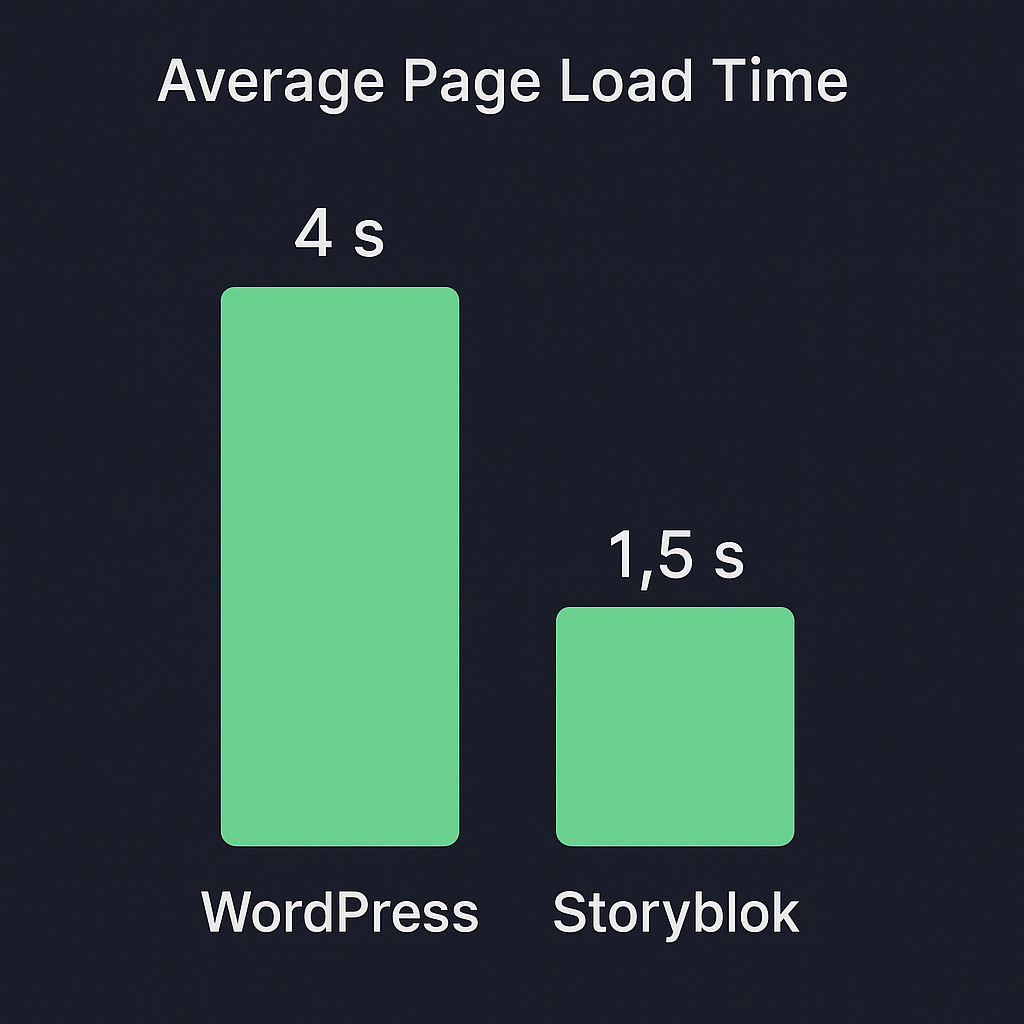
Faster Load Times and Better Performance
Page speed is crucial: Google found 53% of mobile visitors abandon pages that take over three seconds to load, according to new industry benchmarks from Think with Google . With Storyblok’s CDN-backed API:
You fetch only the JSON you need.
Frontends render quickly with modern frameworks.
Caching strategies become more effective.
Enhanced Content Workflows and Collaboration
Storyblok’s visual editor shows you exactly how content appears on the live site—no more “preview” guesswork. You also get:
Real-time collaborative editing (“Concept Room”).
Approval workflows with role-based permissions.
Content versioning and snapshot rollbacks.
This contrasts with WordPress, where adding granular permissions often requires custom code or plugins, as noted in the WordPress Developer Resources on user roles and capabilities .
Flexibility in Design and Content Modeling
Storyblok uses a component-based approach, letting you build reusable modules (cards, forms, galleries). Its visual schema builder means non-developers can:
Create complex content structures.
Nest components for rich layouts.
Reuse modules across pages and channels.
In WordPress, comparable setups often demand custom post types and extensive PHP templating.
Integrations and True Omnichannel Delivery
Because Storyblok is API-driven, you can push content to:
Websites (React, Vue, Next.js).
Mobile apps (iOS, Android).
IoT devices, digital kiosks, even voice assistants.
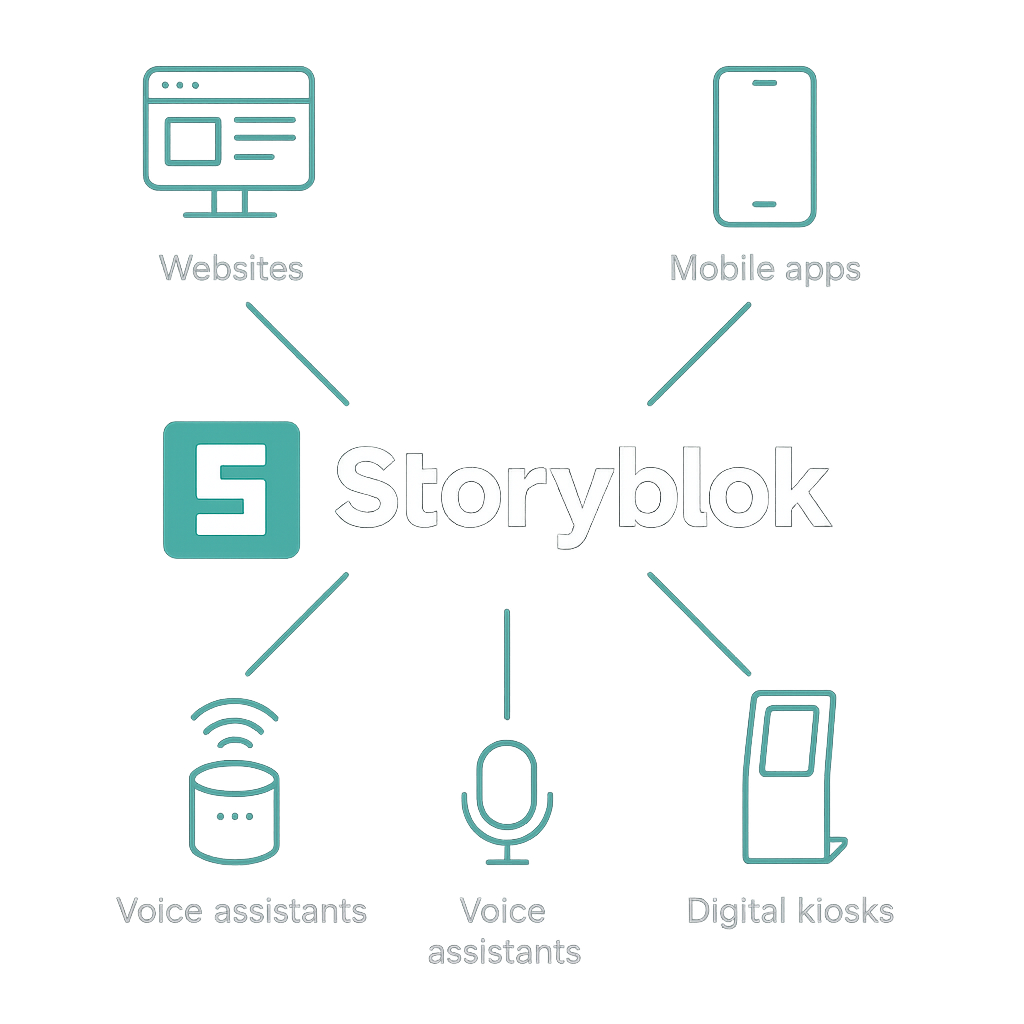
This omnichannel flexibility helps startups reach customers wherever they are—without duplicating content, a strategy discussed in IBM’s guide to API-first omnichannel experiences .
Advanced SEO, Localization, and Personalization
Storyblok gives you granular control over SEO tags and structured metadata at the component level—far beyond plugin-based solutions in WordPress, which often rely on tools like Yoast SEO. For broader context, see Yoast’s analysis of SEO limitations in monolithic CMSs . You can also:
Manage multiple languages with built-in localization instead of third-party plugins, avoiding issues described in SitePoint’s article on WordPress multilingual challenges .
Tailor content per region without spinning up separate sites.
Deliver personalized experiences by combining APIs with your own logic.
Security, Compliance, and Enterprise Readiness
As a SaaS platform, Storyblok handles:
Security patches behind the scenes.
GDPR, SOC 2, and ISO/IEC 27001 compliance guarantees through their Security and Compliance Overview .
99.95% uptime SLAs.
Startups in regulated sectors—like finance or healthcare—can skip the heavy lifting of securing a WordPress server farm.
Cost-Effectiveness and Reducing Technical Debt
Switching to Storyblok means fewer plugin renewals and theme updates. Your developers can:
Focus on features, not firefighting.
Avoid legacy PHP and bloated SQL queries.
Keep your codebase lean by leveraging official SDKs.
Over time, you’ll spend less on maintenance and more on innovation.
Smooth Migrations with Built-In Tools
Storyblok offers a CLI and REST APIs specifically for migrating from WordPress and other CMSs. Those tools help you:
Export existing content programmatically.
Map fields to new component schemas.
Push everything into Storyblok in a repeatable way.
This reduces risk and downtime during the switch.
A Growing Ecosystem and Future-Proofing
While WordPress has thousands of plugins available in the official WordPress Plugin Directory , Storyblok’s ecosystem is expanding fast:
Official SDKs for React, Vue, Angular, and more.
Marketplace with integrations (Shopify, Algolia, Netlify).
Community plugins for analytics, forms, and search.
Adopting a modern platform now sets you up for easier upgrades and innovations down the road.
Next Steps on Your CMS Journey
If you’ve felt constrained by WordPress’s architecture—or you want to tap into omnichannel, enterprise-grade features—Storyblok is worth exploring. With granular SEO controls, built-in localization, robust security, and a component-driven editor, it addresses many of the pain points startups face today. Why settle for yesterday’s CMS when you can build with tomorrow’s platform?
:format(webp))
:format(webp))
:format(webp))