:format(webp))
:format(webp))
Mastering SEO with a Headless CMS: A Complete Guide
By the end of this article, you’ll know how to shape a headless CMS site that ranks well. You’ll learn core technical steps, rendering best practices, on-page essentials, advanced tactics like local and voice search optimization, and how to keep everything running smoothly.
What Is a Headless CMS and Why SEO Matters
A headless CMS separates content management from presentation. You use APIs to deliver raw content into any frontend—websites, apps or devices. That flexibility brings faster delivery and omnichannel reach. But you face new SEO challenges when JavaScript frameworks like React handle rendering instead of a server.
Benefits for SEO
Faster load times and responsive layouts
Consistent content delivery across channels
Easier integration with modern CDNs and edge networks
Challenges to Watch
Search engines must render JavaScript before indexing
Dynamic content can hide page elements from crawlers
Previewing published updates may require custom tooling
Core Technical SEO Foundations
Your site’s infrastructure must support search engines and real users alike.
Core Web Vitals
Largest Contentful Paint (LCP), First Input Delay (FID) and Cumulative Layout Shift (CLS) affect both user experience and rankings. Aim for LCP under 2.5 s, FID below 100 ms and CLS less than 0.1 (see web.dev’s Core Web Vitals documentation ).
Metric | Abbreviation | Recommended Threshold | Description |
|---|---|---|---|
Largest Contentful Paint | LCP | <2.5 s | Measures loading performance |
First Input Delay | FID | <100 ms | Measures interactivity latency |
Cumulative Layout Shift | CLS | <0.1 | Measures visual stability |
Page Speed & CDNs
Fast hosting plus a global content delivery network cuts latency. Pages that load in under 3 seconds see 53 % fewer mobile abandonments, according to a Think with Google analysis .
Mobile-First & Security
Google indexes mobile layouts first, so responsive design is essential. Secure your site with HTTPS by default, as modern browsers will warn users about insecure pages.
Optimizing Content Delivery and Rendering
How you render pages has a big impact on SEO and performance. Modern frameworks such as Next.js support multiple rendering approaches:
Server-Side Rendering (SSR)
Renders pages on the server each request, ensuring search engines see full HTML.
Static Site Generation (SSG)
Builds pages at deploy time into static files—ideal for largely unchanging content.
Incremental Static Regeneration (ISR)
Combines SSG with on-demand rebuilds for updated pages without full redeploys.
Dynamic Rendering
Serves a crawler-optimized snapshot to bots while giving users the dynamic experience.
Rendering Approach | Description | Best Use Case |
|---|---|---|
Server-Side Rendering (SSR) | Renders pages on the server for every request, delivering full HTML. | Apps needing up-to-date data and SEO. |
Static Site Generation (SSG) | Builds static files at deploy time. | Content-rich sites with infrequent updates. |
Incremental Static Regeneration (ISR) | Updates static pages on-demand without full redeploys. | Sites requiring fresh content but fast performance. |
Dynamic Rendering | Sends crawler-optimized content to bots, dynamic to users. | SPAs needing SEO without altering user experience. |
John Mueller from Google said, “Google can render JavaScript, but you need to ensure rendering doesn’t slow users down,” highlighting the importance of efficient rendering workflows ( source ).
On-Page SEO Essentials
Even with a headless setup, traditional on-page elements matter.
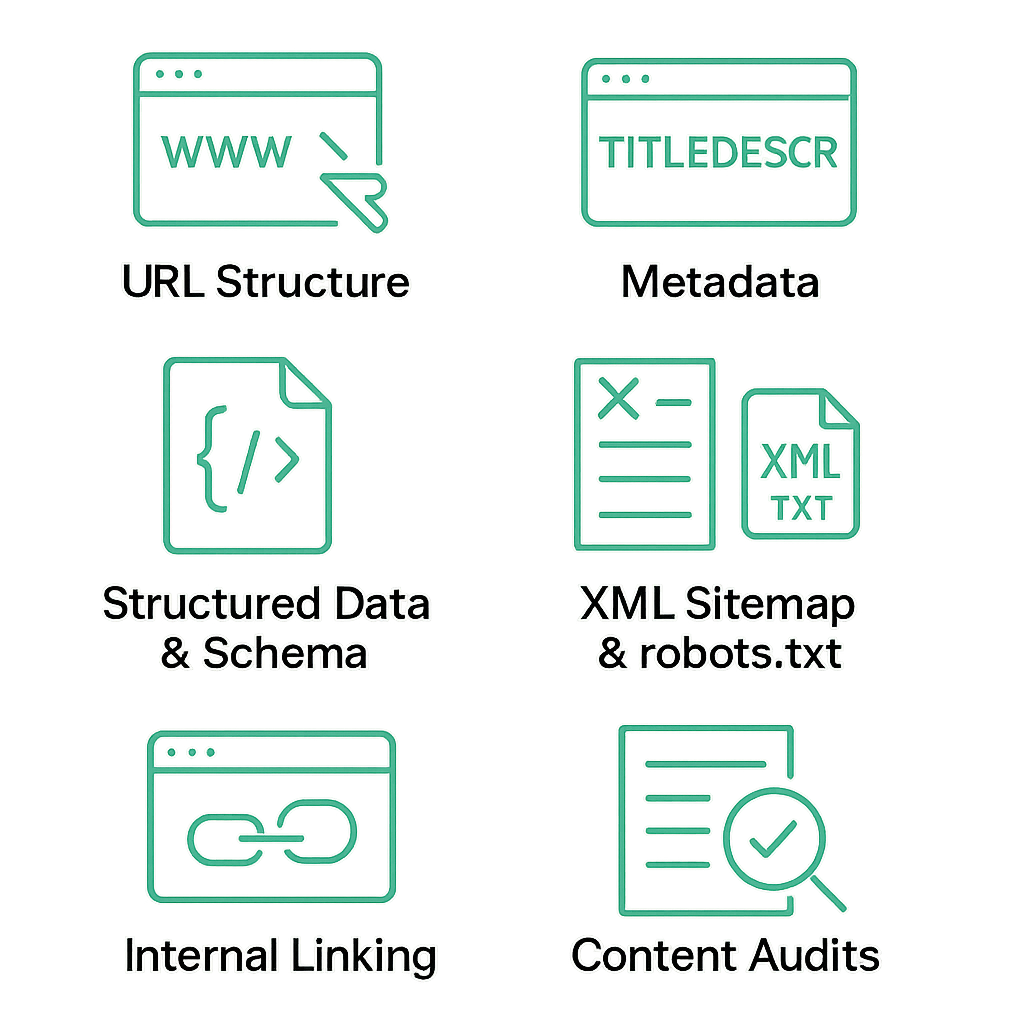
URL Structure
Keep URLs short, descriptive and hyphen-separated—for example, `/blog/headless-cms-seo`.
Metadata
Titles and meta descriptions should reflect page content and include target terms.
Structured Data & Schema
Use JSON-LD delivered via your API to enable rich results; refer to Google’s structured data guide .
XML Sitemap & robots.txt
Generate and update sitemaps automatically. Block irrelevant paths in robots.txt.
Internal Linking
Create logical clusters of related pages for better crawlability and content hierarchy.
Content Audits
Regularly review pages for broken links, stale info and keyword coverage.
Advanced SEO Strategies for Headless Environments
Local SEO & Voice Search
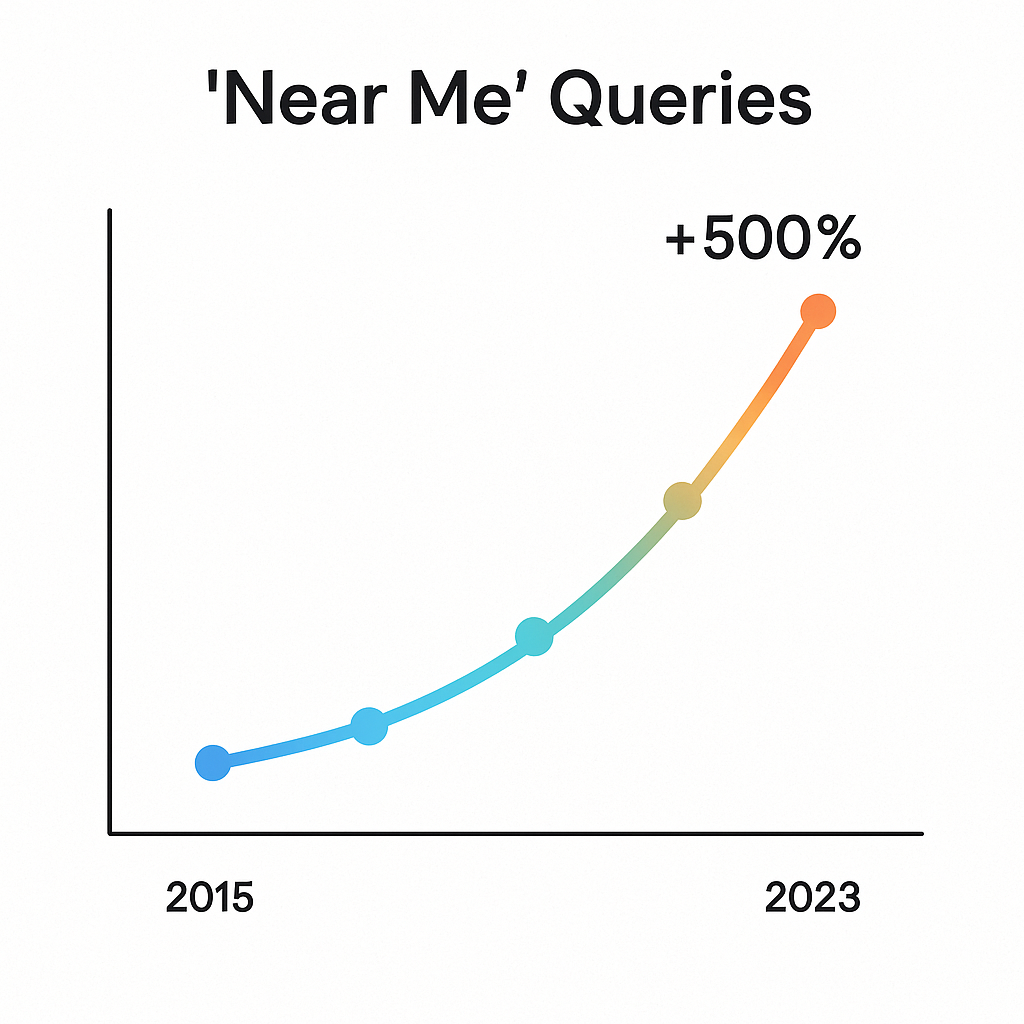
“Near Me” queries have grown by over 500 % in recent years, according to a BrightLocal study .
Integrate Google Business Profile info via API
Use location schema markup on your pages
Create voice-friendly FAQ sections with conversational language
Rich Snippets & Featured Snippets
Serve content sections as clean JSON objects so search engines can extract headings, steps or Q&As. This improves your chances for:
Recipe cards
How-to guides
FAQ rich results
Personalization at Scale
A headless CMS can deliver region-specific banners or product recommendations without slowing down core pages. Personalization fields load after the initial HTML, preserving fast LCP while boosting engagement.
Internationalization & Localization
Managing multi-language sites in a headless setup means:
Using hreflang tags in your HTML templates
Storing translations in separate API collections
Ensuring consistent URL patterns like `/en/`, `/fr/`
Reviewing content governance workflows for each market
Keeping Your SEO Engine Running
Ongoing Technical Audits
Use tools like Screaming Frog SEO Spider or Sitebulb to crawl your site and catch issues early.
Core Web Vitals Monitoring
Set up Playwright or Lighthouse CI tests in your CI/CD pipeline to track LCP, CLS and FID after each deploy.
Content Performance Tracking
Combine Google Analytics and Search Console to see which pages gain or lose impressions and clicks.
Troubleshooting Tips
Compare server-side vs. client-side load times
Review API response sizes and compress payloads
Check structured data validity in Google’s Rich Results Test
Your Headless CMS SEO Playbook
With these strategies, you’re equipped to launch and maintain a headless CMS site that performs in search. From robust technical foundations through advanced tactics like voice search and localization, every step will help you stand out in a competitive landscape. Good luck putting it all into action!
:format(webp))
:format(webp))
:format(webp))