:format(webp))
:format(webp))
SolidJS vs React: A Deep Dive into Modern UI Frameworks
In this guide, you’ll see how SolidJS and React stack up on architecture, performance, server-side rendering, ecosystem, advanced patterns, and emerging trends. By the end, you’ll have a sharper sense of which library fits your next project.
Core Architecture Differences
React and SolidJS offer similar JSX-based APIs, but under the hood they work very differently.
React uses a Virtual DOM
Diffing and reconciliation on updates
Components re-render whenever state or props change
React’s Virtual DOM implementation enables efficient UI updates by comparing the previous and next render trees; changes are batched and applied in a single patching phase ( React’s Virtual DOM overview ).
SolidJS compiles JSX into direct DOM instructions
No Virtual DOM layer
Fine-grained reactivity tracks exactly which values each node depends on**
Core Architecture Comparison
Feature | React | SolidJS |
|---|---|---|
JSX Handling | Virtual DOM diff and reconciliation | Compiled JSX into direct DOM instructions |
Reactivity Mechanism | useState/useEffect hooks | createSignal with fine-grained reactivity |
Update Granularity | Component re-render on any state/prop change | Fine-grained DOM updates per signal dependency |
Signals vs. Hooks
SolidJS exposes a `createSignal` primitive that returns a getter/setter pair. Reading a signal in a computation registers a dependency automatically, so updates propagate only where needed ( SolidJS createSignal API ). React’s hooks like `useState` and `useEffect` rely on an ordered call pattern and dependency arrays you maintain by hand, which can lead to stale closures or missed updates.
Direct DOM Updates
Because SolidJS knows which signal affects which piece of the UI, it updates just that node on change. React, by contrast, typically re-executes the entire component function and applies Virtual DOM diffs, even if most output is unchanged.
Performance and Bundle Size
Both libraries claim high speed, but real-world profiles vary.
React (v18) gzipped ~44.5 KB ( bundle size on Bundlephobia )
SolidJS gzipped ~8.5 KB
Gzipped Bundle Sizes
Framework | Gzipped Size (KB) |
|---|---|
React (v18) | 44.5 |
SolidJS | 8.5 |
Benchmarks vs. Real-World
Micro-benchmarks like the JS Framework Benchmark show SolidJS often outperforms React by several factors ( JS Framework Benchmark results ). In typical applications, though, network latency, API calls, or heavy computation often dominate performance. You’ll notice the library’s speed most in highly interactive UIs with frequent state changes.
SSR and Hydration
Rendering on the server can shrink time-to-first-paint and improve SEO. Both React and SolidJS support SSR, but their hydration strategies differ.
SolidJS Server-Side Rendering
Solid’s compiler emits code that reuses the same fine-grained dependency graph on the client. After sending HTML from the server, the client can hydrate with minimal overhead and preserve reactivity. This means less JavaScript is needed to pick up exactly where the server left off.
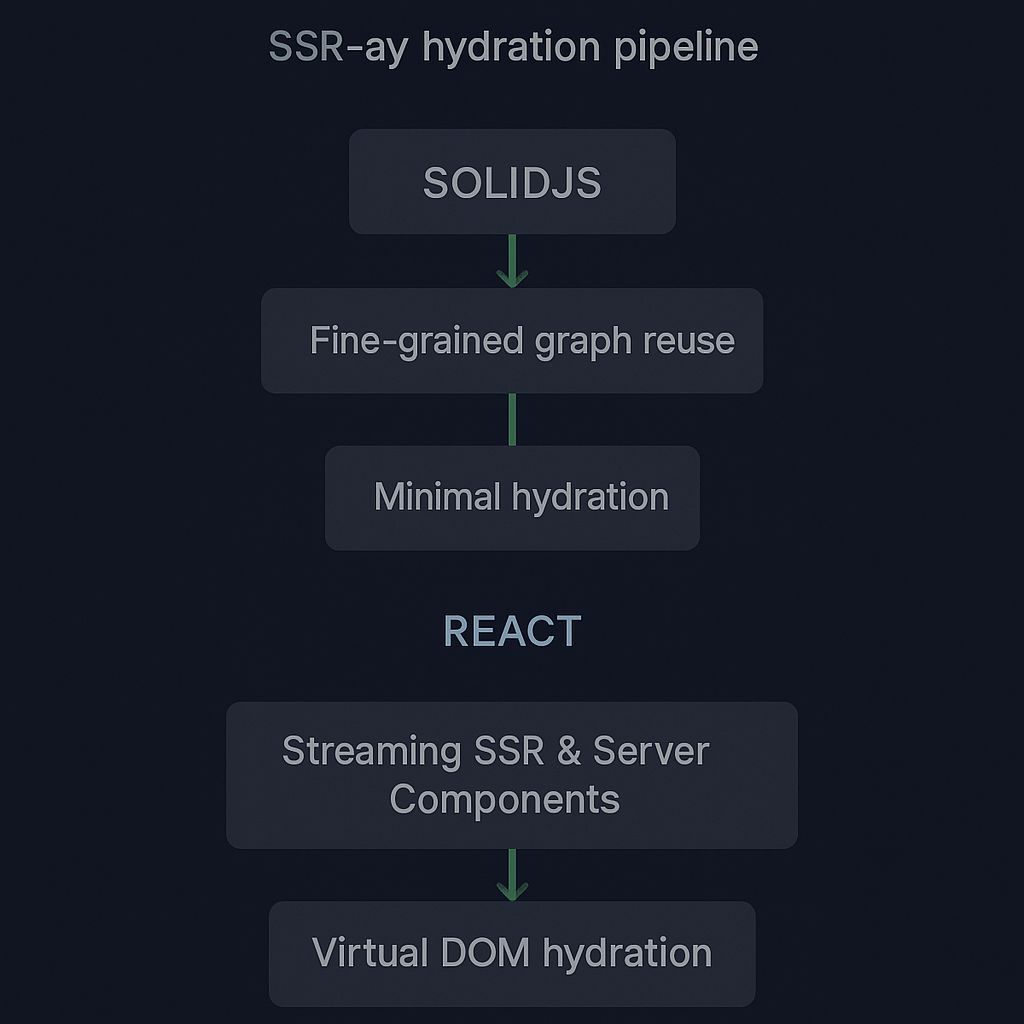
React’s Streaming SSR & Server Components
React 18 introduced Suspense-driven streaming SSR and experimental Server Components, allowing you to offload data fetching to the server and stream HTML as it’s ready. This can cut bundle size since server-only code never reaches the browser ( React Server Components announcement ).
Ecosystem and Community
React’s age and corporate backing have built a vast ecosystem, while SolidJS remains smaller but is growing quickly. According to npm trends, React receives over 190 million weekly downloads compared to SolidJS’s roughly 500 thousand weekly downloads ( npm trends comparison ).
Ecosystem Comparison
Metric | React | SolidJS |
|---|---|---|
Weekly Downloads | 190,000,000 | 500,000 |
Ecosystem Size | Large & mature | Small & growing |
Native/Cross-Platform | React Native (iOS, Android, Windows) | solid-native (early stage) |
React Native & Cross-Platform
React Native powers iOS, Android, and even Windows apps using largely the same React paradigm ( React Native official site ). SolidJS currently focuses on web interfaces, though community efforts like solid-native are in early stages.
Third-Party Libraries & Tools
Most UI component libraries (Material-UI, Ant Design) and testing tools (Jest, Enzyme) are React-first. SolidJS has growing support—libraries like Solid Styled Components and Solid Query—but the selection is narrower.
Advanced Patterns and Learning Curve
SolidJS covers basic use cases in fewer lines, yet mastering features like context, error boundaries, and custom reactivity can present new hurdles.
Error Boundaries & Context
Both libraries offer context APIs, but SolidJS’s context relies on signals under the hood, so you’ll need to understand how values propagate. Error boundaries in React catch exceptions during render, while SolidJS’s error handling uses a separate API (`<ErrorBoundary>`) that integrates with its runtime scheduler.
Footguns and Implicit Behavior
Because Solid’s reactivity is automatic, you can accidentally create memory leaks by establishing long-lived computations that never dispose. In React, the explicit nature of hooks sometimes makes it easier to spot cleanup points.
Integration Trends: WebAssembly and Progressive Enhancement
Frameworks often team up with WebAssembly (Wasm) for compute-heavy tasks, and some support progressive enhancement via CDN.
Wasm and UI
React apps have paired with Wasm modules for tasks like image processing or encryption. SolidJS, with its small runtime, could be a good match but has less documented guidance so far.
CDN-First Prototyping
React requires a build step to transform JSX. SolidJS offers ESM builds that can run in modern browsers from a CDN like Skypack:
<script type="module">

import { createSignal, render } from 'https://cdn.skypack.dev/solid-js';

// ...

</script>
That makes it possible to prototype quickly without a bundler ( Skypack for SolidJS ).
Charting Your Path Forward
If you value minimal bundle size, micro-performance, and a reactive model that updates only what changes, SolidJS is worth exploring for new web projects or parts of an existing app. If you need mature cross-platform support, a massive ecosystem, or the latest React Server Components in production, React remains a solid choice. Whatever you pick, understanding each library’s strengths will help you build faster, more maintainable interfaces.
:format(webp))
:format(webp))
:format(webp))