:format(webp))
:format(webp))
Migrating from Gatsby to Next.js: A Comprehensive Guide
Jumping from Gatsby to Next.js can streamline your site’s rendering, improve your team’s workflow, and position your project for the future. In this guide, you’ll learn why many teams switch, how the two frameworks differ under the hood, and exactly how to plan and execute a migration. Along the way, you’ll discover deeper insights on developer ergonomics, long-term maintenance, community health, and edge-computing compatibility that most tutorials skip.
Why You Might Consider Moving
Before you dive in, let’s recap the main incentives behind this shift:
Improved performance through hybrid rendering (SSG, SSR, ISR)
Built-in routing and API routes without dozens of plugins
First-class TypeScript support and fast refresh in development
Easier integration with edge platforms for low-latency features
A more opinionated structure that reduces maintenance overhead
Incentive | Description |
|---|---|
Hybrid Rendering | Improved performance through SSG, SSR, ISR |
Built-in Routing & APIs | Routing and API routes without plugins |
TypeScript & Fast Refresh | First-class TS support and fast development feedback |
Edge Integration | Easier integration with edge platforms |
Opinionated Structure | Reduces maintenance overhead |
A recent tally shows Next.js registers over 16 million weekly downloads on npm , making it the most used React framework today.
Core Technical Differences
Rendering Models: SSG, SSR & ISR
Gatsby generates a fully static site at build time. Next.js can pre-render pages during build (SSG), on each request (SSR), or revalidate at runtime (ISR) based on your needs using Next.js pre-rendering modes (SSG, SSR and ISR) .
Feature | Gatsby | Next.js |
|---|---|---|
SSG | Build-time only | Build-time pre-rendering |
SSR | Not supported | Request-time rendering |
ISR | Not supported | Runtime revalidation |
Routing and Data Fetching
File-based routing in both, but Next.js supports nested and dynamic routes out of the box.
Data fetching: Gatsby relies on GraphQL at build time; Next.js offers `getStaticProps`, `getServerSideProps`, and client-side hooks that work with any API.
Plugin Ecosystem vs. Built-In Features
Gatsby’s ecosystem boasts over 2,300 “gatsby-plugin” packages on npm, though roughly one-third haven’t been updated in 12 months. Next.js has fewer external add-ons because many capabilities—image optimization, CSS support, analytics—are baked in.
Impact on Developer Ergonomics and Tooling
Sometimes subtle enhancements make a big difference in daily workflows:
TypeScript by default: Next.js scaffolds a TS project without extra config.
Fast refresh & error overlays: Instant feedback on code edits or runtime errors.
Zero-config CSS & asset handling: Drop-in support for CSS Modules, Sass, images, and fonts.

These quality-of-life features mean your team spends less time wrestling with build tools and more time shipping features.
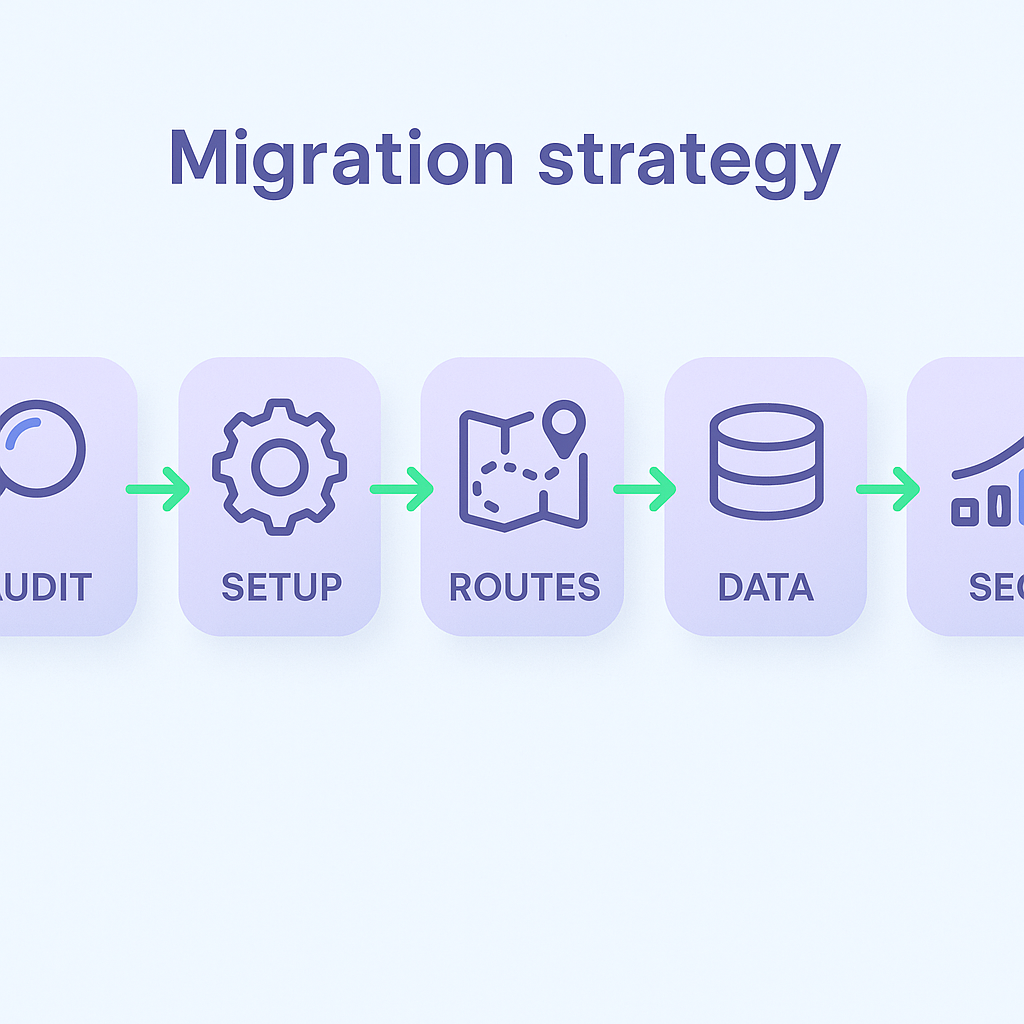
Planning Your Migration Strategy
A structured approach ensures you don’t miss critical steps.
Technology & Content Audit
- Inventory Gatsby plugins and GraphQL queries.
- Catalog content models in your CMS.
Set Up a Clean Next.js Project
- Initialize with `npx create-next-app --typescript`.
- Configure ESLint, Prettier, and environment variables.
Migrate Routes & Templates
- Convert `src/pages` files to Next.js routes.
- Transform Gatsby layouts and templates into React components under `pages` and `components`.
Port Data Fetching
- Rewrite GraphQL calls as REST or GraphQL queries in `getStaticProps`/`getServerSideProps`.
- Add ISR options where you need real-time updates.
Transfer SEO & Metadata
- Replace `gatsby-plugin-react-helmet` with Next.js’s built-in `<Head>` component.
- Revalidate canonical URLs, meta descriptions, and social tags.
Long-Term Maintenance and Community Health
A migration isn’t just a one-time effort—it’s a commitment to a framework’s ecosystem.
Maintenance Overhead Comparison
Gatsby’s plugin-heavy model can introduce version conflicts and frequent upgrades.
Next.js’s opinionated defaults reduce the surface area for breaking changes.
Community Health Metrics
Next.js resolves issues more rapidly thanks to a larger core team and more frequent releases, as seen in its GitHub repository ★ count and open issues .
Leveraging Edge Computing with Next.js
Next.js is designed to run code at the edge—close to your users.
Vercel Edge Functions let you execute serverless logic globally through Vercel’s edge functions .
Cloudflare Workers integration brings API routes within milliseconds of your audience via Cloudflare Workers documentation .
In contrast, Gatsby usually serves static assets from a CDN, which can’t run custom server logic at the edge.
Accessibility Checks Post-Migration
“Accessible design is good design.” — W3C WCAG Guidelines
Migration may introduce subtle markup changes. Run an audit:
Check semantic HTML (headings, landmarks, lists).
Validate ARIA attributes with tools like axe or Lighthouse.
Ensure keyboard navigation and color contrast meet WCAG 2.1 guidelines.
Deployment and Ecosystem Integration
Next.js offers seamless deployment to multiple platforms:
Vercel: Zero-config hosting with previews and rollbacks.
Netlify: Supports SSR via functions and ISR with On-Demand Builders .
AWS: Deploy Next.js apps as serverless containers using AWS Lambda .
Each environment benefits from Next.js’s hybrid rendering capabilities and automatic scaling.
Your Migration Toolkit Awaits
You’ve seen why teams are shifting from Gatsby to Next.js, how the frameworks differ in rendering, routing, tooling, and community support, plus ways to future-proof your site with edge computing and robust accessibility checks. With a clear audit, a step-by-step migration plan, and the right deployment platform, you’ll transform your project into a faster, more maintainable, and globally responsive application. Start by spinning up a Next.js project today and tackle each migration phase at your own pace—your users (and developers) will thank you.
:format(webp))
:format(webp))
:format(webp))